
Duplicates
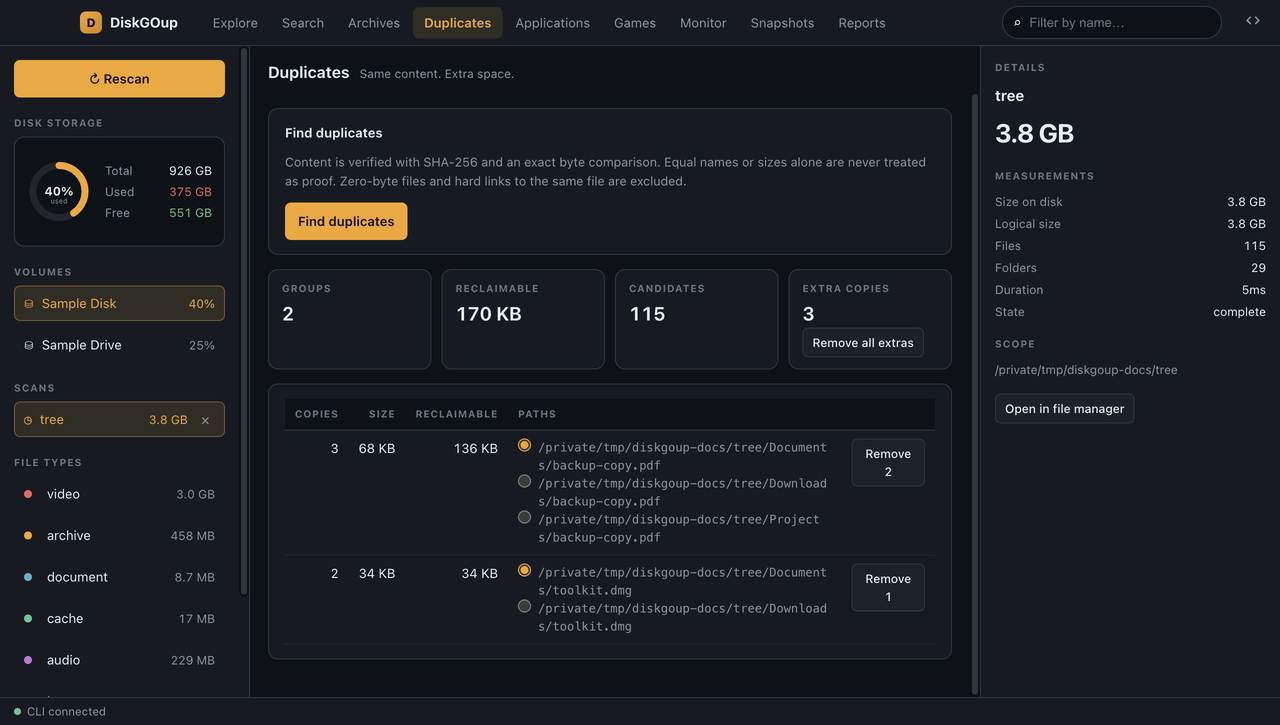
Find duplicates looks for files with the same content. Two files are only duplicates when their bytes are identical — the content is verified with SHA-256 and an exact byte comparison. Equal names or equal sizes are never treated as proof. Zero-byte files and hard links to the same file are excluded.
The search runs on the CLI’s worker threads, so the window keeps working while the disk is read, and the stage it reached is reported as it goes.
The header counts the groups of identical files, the space that could be reclaimed, the candidates that were hashed and the extra copies — the ones you would keep if you kept one file of each group.
Keeping one copy
Section titled “Keeping one copy”Every path in a group has a radio button. The selected one is the copy that is kept; the others are the extra copies.
- Remove n — puts the extra copies of that group on the review list.
- Remove all extras — does the same for every group at once.
Nothing is removed there either. The extra copies go on the review list, the protected paths are refused with a reason, and the review opens only when something was actually staged. From the review you can move them to the Trash or delete them for good — and the app says which of the two happened, because the space of a trashed file only comes back when the Trash is emptied.
See Finding duplicates for the command-line equivalent.